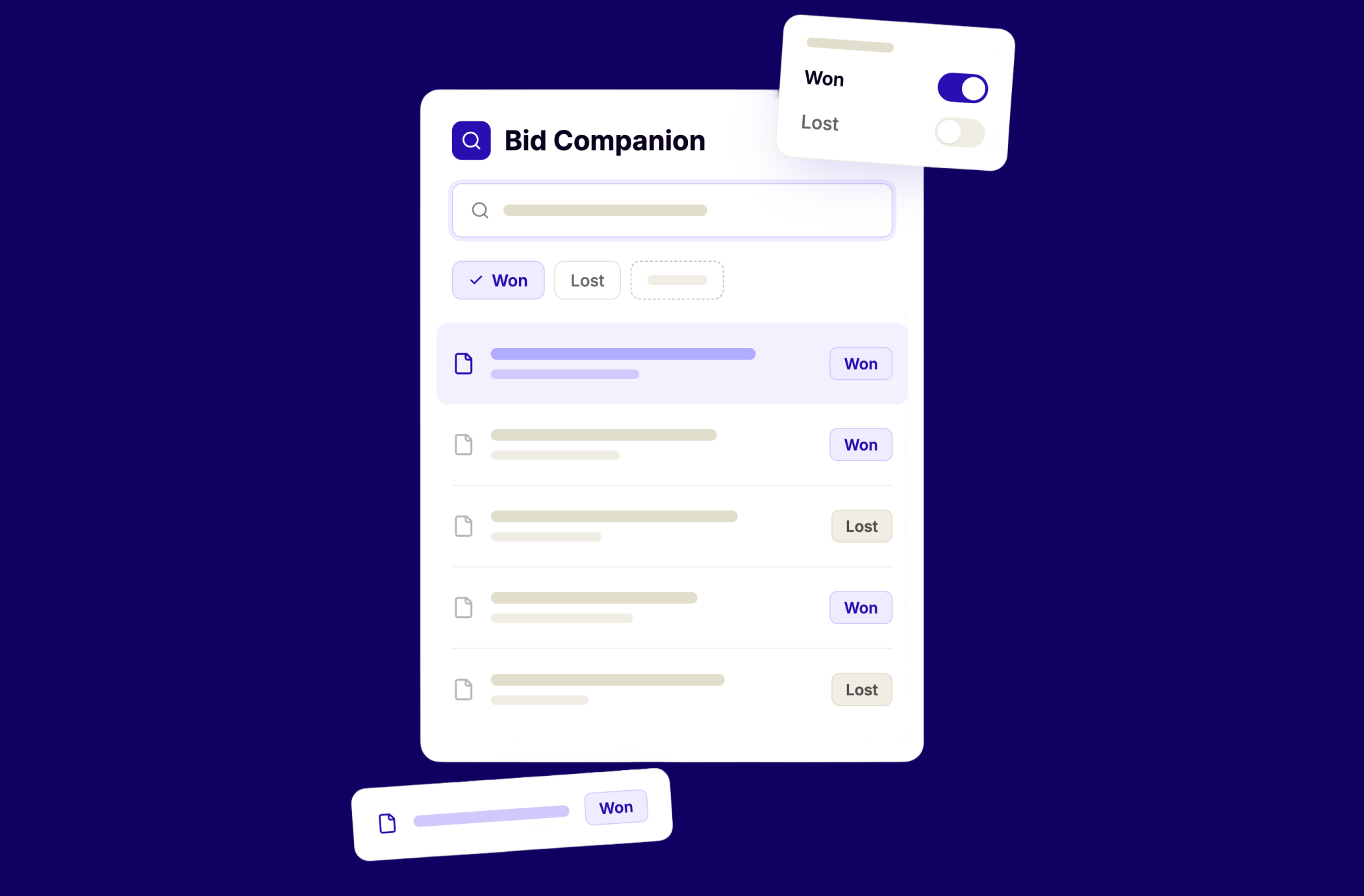
Proposal Search: start every tender response with the context of your strongest past work.
Your organisation has written hundreds of tender responses. Some of them won. Some scored well on specific criteria. Some were called generic by the buyer. All of that knowledge sits hidden in your folders or in your inbox, and almost none of it gets reused properly.
Bid teams reuse past work constantly. That is not the problem. The problem is that reuse today is blind. You search through folders, ask colleagues, or scroll through old projects hoping to find something relevant. When you do find a past answer, nothing tells you whether it actually performed well. You are reusing content without context, and the result is a starting point you cannot trust.
Altura's Proposal Search changes that. It gives you control over which past proposals feed into your writing, filtered to what matters and ranked by your strongest past work, so your bid knowledge compounds instead of disappearing.
Filter to what matters before you start writing.
Most bid teams have years of prior work spread across dozens, sometimes hundreds, of projects. When it is time to write, all of those projects compete for attention. There is no way to say "show me only the rail projects from this business unit" or "only proposals from the last two years with this contract type." So you spend hours sifting through projects that are not relevant, asking colleagues what they remember, or scrolling through folders hoping something useful turns up.
That time adds up. And the longer the search takes, the more likely it is that you skip it entirely and write from scratch.
Proposal Search removes that friction. You open Bid Companion and click the funnel in the composer. You set filters on project properties before you start writing: business unit, contract type, client, country, outcome, or any custom field your team tracks. Each value in the list carries the number of projects that hold it, so you know what you are narrowing to before you commit. Irrelevant projects never enter the picture. What remains is a focused set of past proposals that Bid Companion draws from while you write, so every suggestion is grounded in work that is actually comparable to the bid in front of you.
.png)
.png)
Every result carries the buyer's verdict.
Finding a past proposal is only half the job. The harder question is whether that answer was any good. Six results that all look equally relevant is not helpful. It is exactly the problem that made teams stop trusting search in the first place.
Every result in Proposal Search carries the outcome of the bid it came from: won, lost, no bid, or withdrawn, shown as a badge you can see without expanding anything. Open a result and you see the buyer's own takeaways for that bid, the words they used to explain what worked and what did not.
This means you are not just finding old answers. You are choosing between them with the buyer's perspective in front of you. You know which content came from a bid the buyer valued, and which came from one they were unimpressed by. A poor outcome never hides a result. You see everything, and you decide what to use.
.png)
.png)
Context that compounds with every tender.
Bid teams are getting better at writing faster. Tools help with that, and so does experience. But what our customers tell us, again and again, is that the writing itself is not where bids are won or lost. What makes the difference is the context behind it: the right reference material, the right prior examples, and the knowledge of what buyers actually valued in previous rounds.
That is what Proposal Search supports. It does not replace the writing process. It makes sure the writing process starts from the strongest possible foundation. By filtering Bid Companion to relevant past projects and surfacing your best-scoring proposals first, you give every new response a strategic advantage before the first sentence is written.
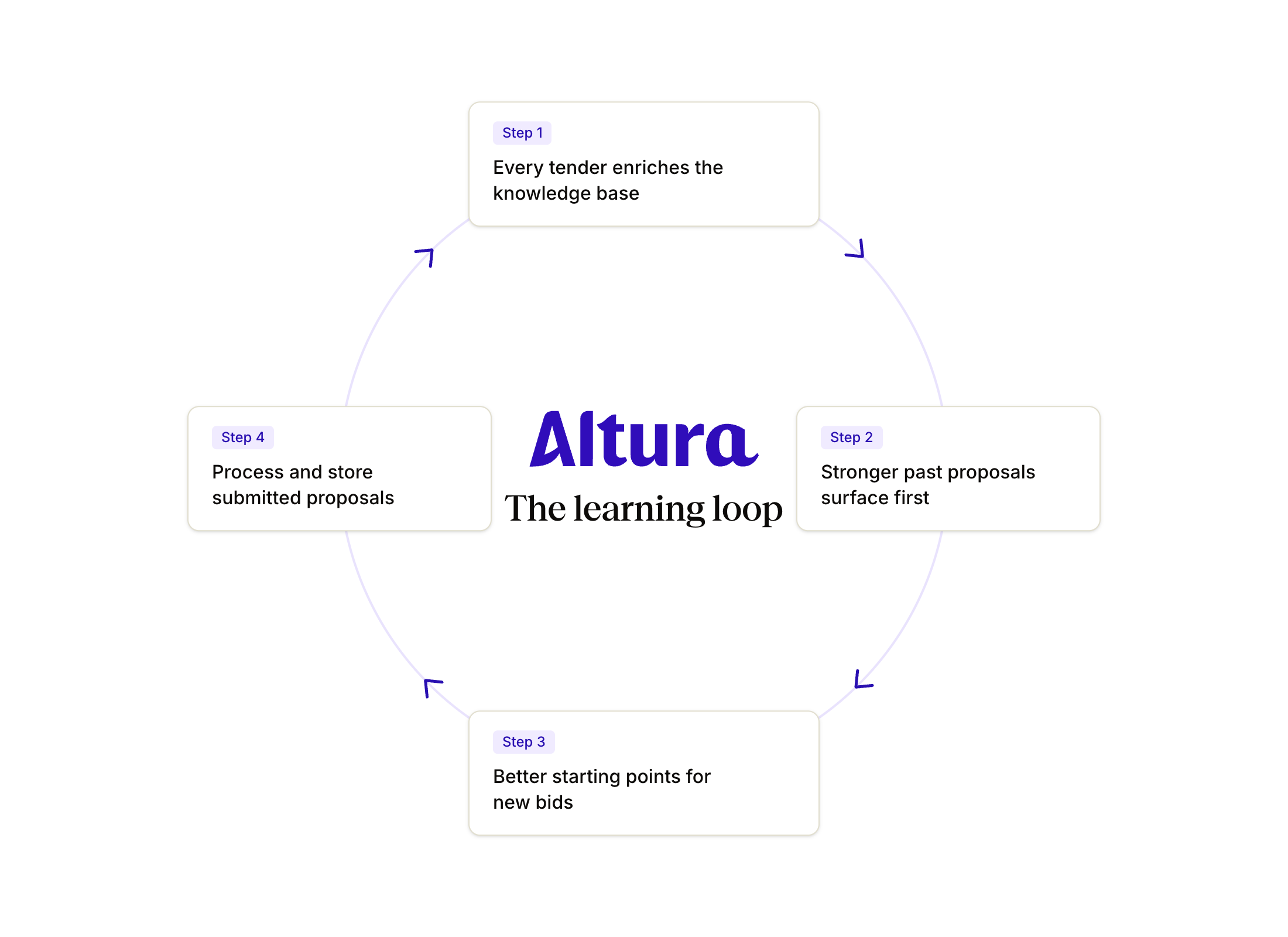
And that advantage compounds. Every tender your team completes feeds evaluation data back into the system. Every buyer verdict, every score, every project property enriches the knowledge available for the next bid. This is the feedback loop that customers describe as Altura's real value: not faster writing, but better starting points that get stronger with every tender.
How it works.
Filter your past projects.
Open Bid Companion and click the funnel in the composer. Set your filters: business unit, contract type, client, country, outcome, or any custom property your team tracks. Each value shows how many projects carry it, so you can see what you are narrowing to.
Start from your strongest work.
Ask your question. Bid Companion searches only your own documents inside that scope. Every result carries the outcome of the bid it came from and the buyer's takeaways, so you can tell proven material from untested material.
Write with full context.
Use the filtered results as your writing context. The filter stays applied to every message in the thread until you change or clear it. Bid Companion draws only from the set you defined, so every suggestion is grounded in relevant, comparable work.
What you get.
- Filter past projects by business unit, contract type, client, country, outcome, and any custom property your team tracks.
- See how many projects carry each value as you pick it, so you know what you are narrowing to before you commit.
- The buyer's outcome on every result, won, lost, no bid, or withdrawn, as a badge you see without expanding anything.
- The buyer's own takeaways for each bid, visible when you open a result, with a line saying where the text came from.
- Origin marking on project files, Ours, Tender, or Unmarked, so Bid Companion draws only from your own work, never the buyer's specifications.
- A read-only chip on every answer showing which filters ran and how many files were in scope.
- "No evaluation data available" as a clear status, not a blank.
Ready to see how your past proposals can work harder for your next bid? Book a demo
Sign up for our Newsletter
Sign up for great tips, tricks and other bid management news!
.png)
.png)
.png)
Discover the power of automation in 30 minutes.
We'll walk you through a live bid on your own documents, showing you how ALtura brings clarity and flow in your tenderprocess.