Every submission requirement, confirmed before you submit.
Altura extracts every submission requirement from your tender pack and checks each against your project documents and Knowledge Library. You see exactly what is ready, what is missing, and what still needs work, so the final week before submission is a confirmation, not a scramble.
Disqualified on a technicality. After weeks of work.
Missing certificate. Wrong file format. Unsigned declaration. Most tender disqualifications happen because of compliance gaps, not weak proposals. The worst part: you find out after you've already submitted.
Altura makes sure you're ready before you click ‘submit’.
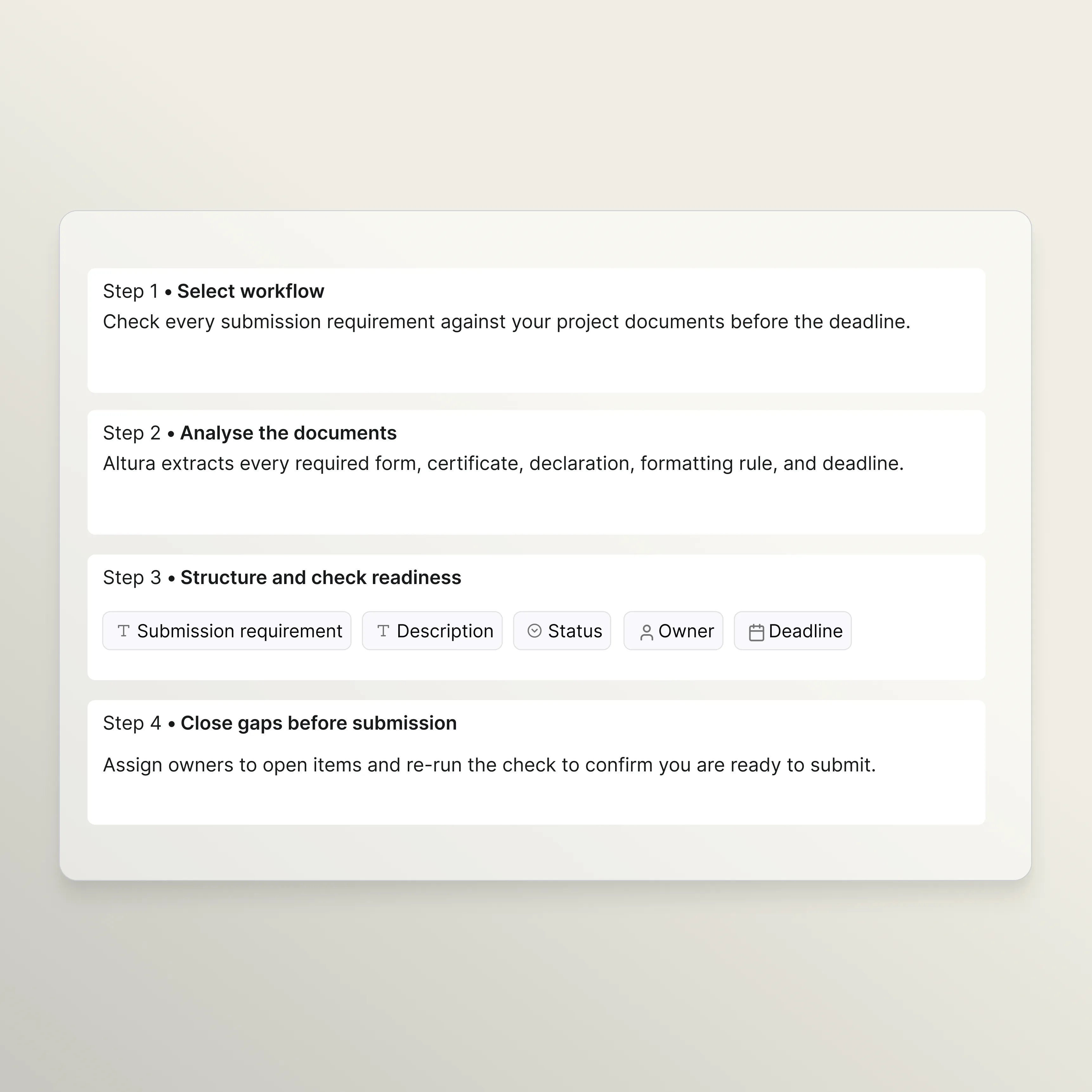
Three steps to knowing you are compliant.
Extract every submission requirement.
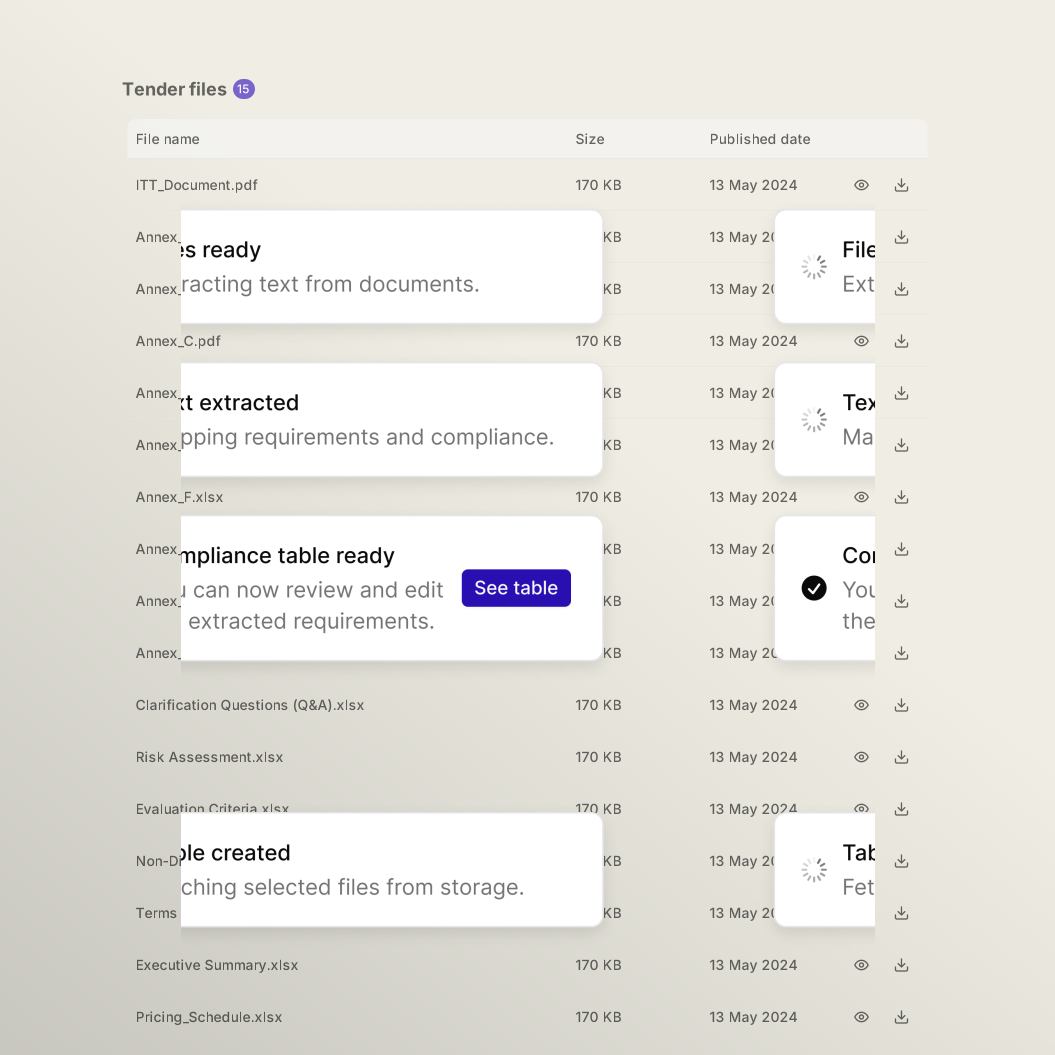
Altura scans all tender documents and pulls out every submission requirement: required forms, certificates, declarations, formatting rules, page limits, signing requirements, portal registrations, and deadlines. Each item is categorised, marked mandatory or optional, captured with its format requirements, and linked back to its source. Nothing stays buried in annexes.
Check readiness at a glance.
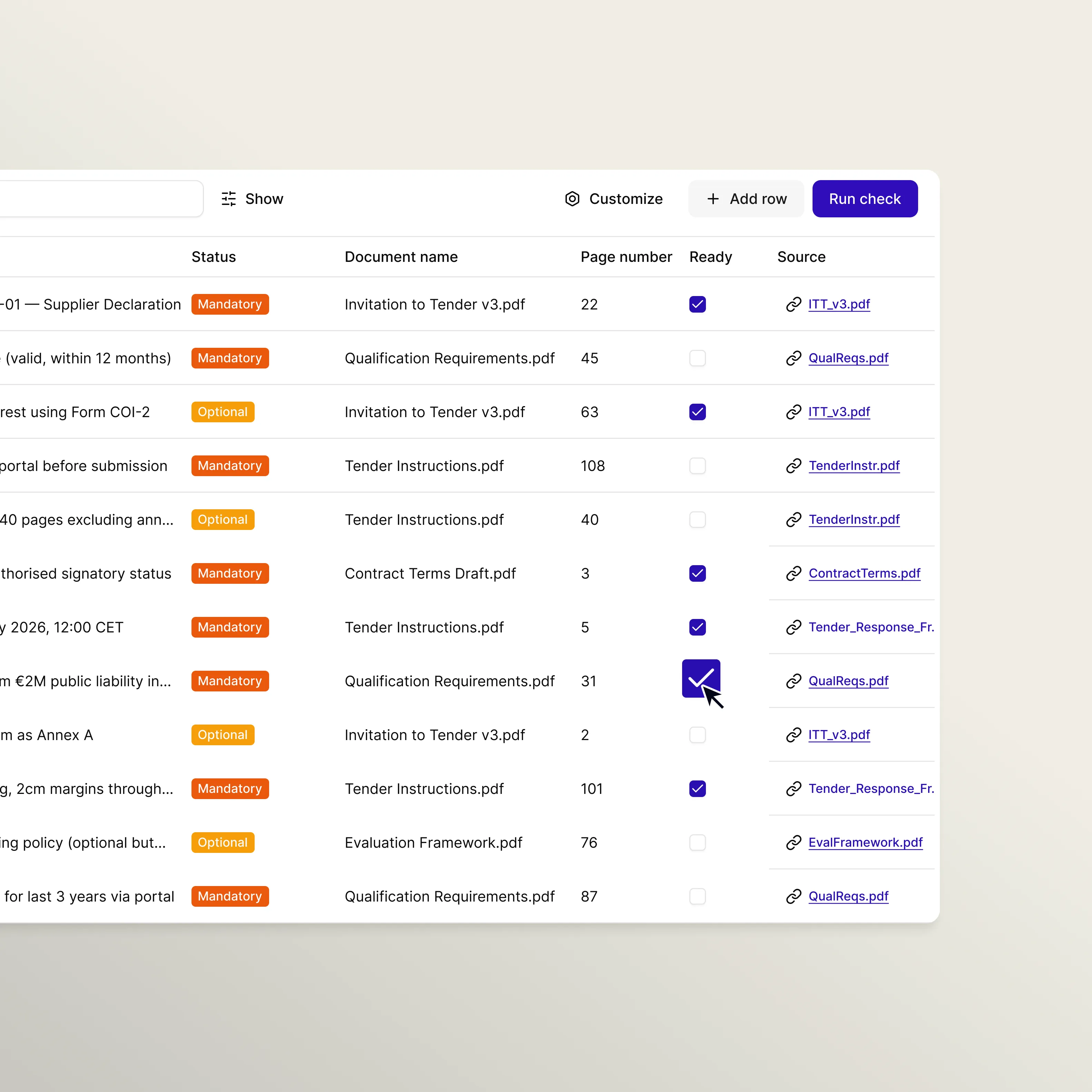
Each requirement is checked against your project documents and Knowledge Library. The output is a clear readiness view: what is ready, what is partially ready, what is missing, and what needs manual verification. Procedural items that cannot be verified from documents alone, like portal registrations or signing requirements, are flagged for your team to confirm.
Close every gap before you submit.
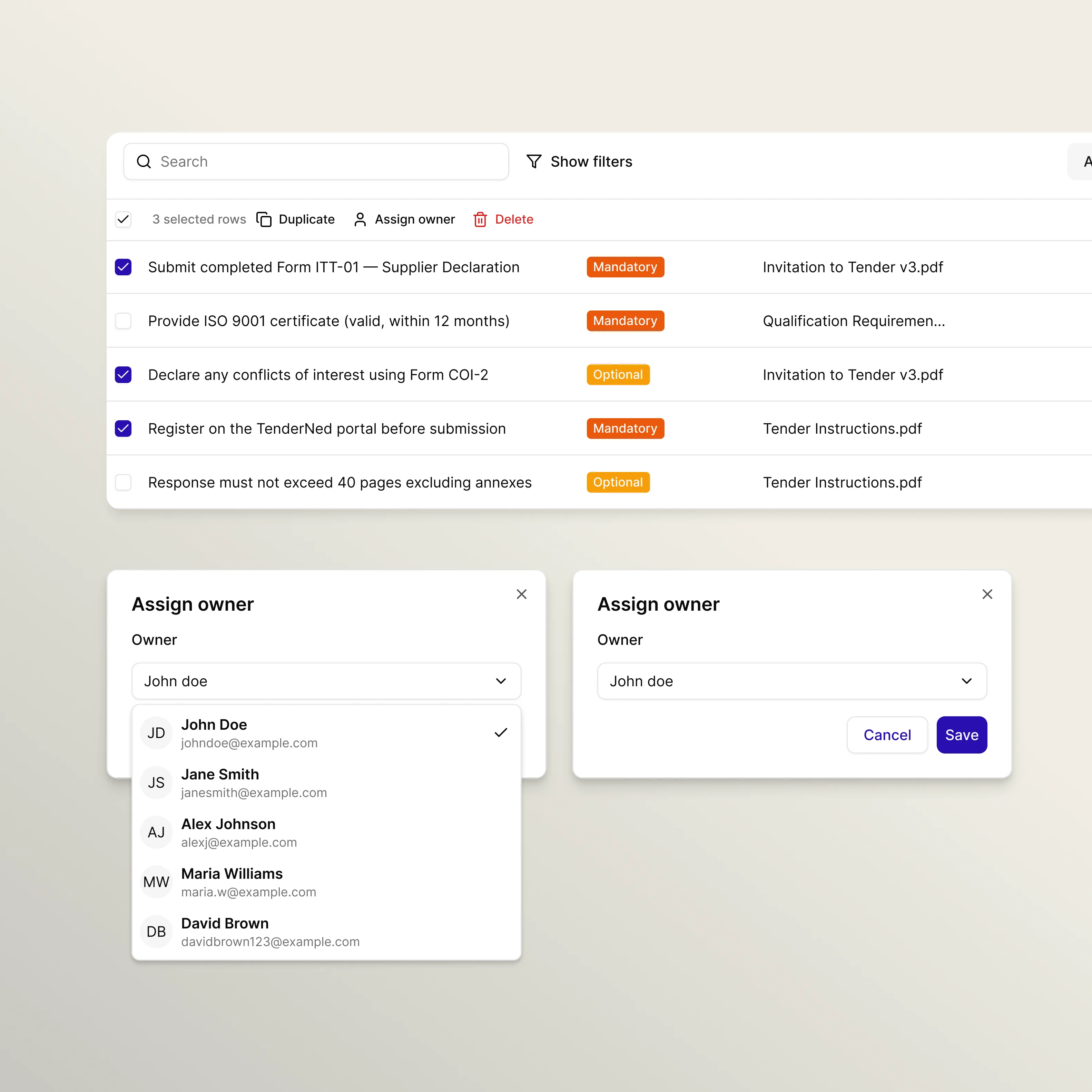
Assign owners to open items and track progress across the team. Re-run the check at any point to refresh your view as documents are finalised across departments. Whether it is an expired certificate, a missing signature, or a formatting requirement your team overlooked, you catch it here, not after submission.
Need a workflow tailored to your unique process?
Our core workflows are highly configurable, yet we know that complex bid processes often require a more personal touch. We offer a direct partnership to help you build specialised workflows tailored to your team’s unique requirements, ensuring Altura stays as flexible as your strategy.

Enterprise-grade automation with security you can trust.
Human guardrails
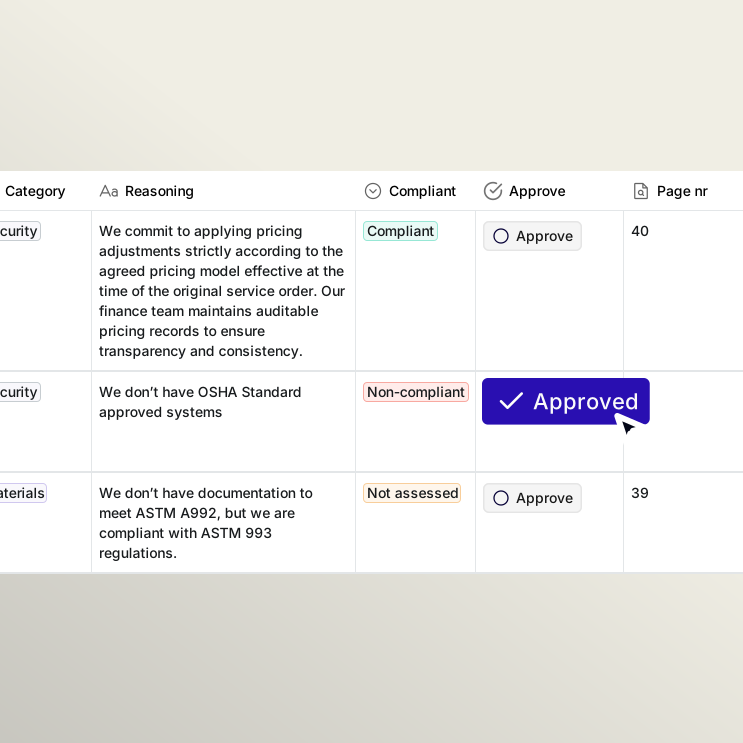
You stay in control of the data used for every answer. AI-generated content is clearly marked, and you approve each response before it moves forward. Your team decides which sources the platform can draw from.
AI explainability
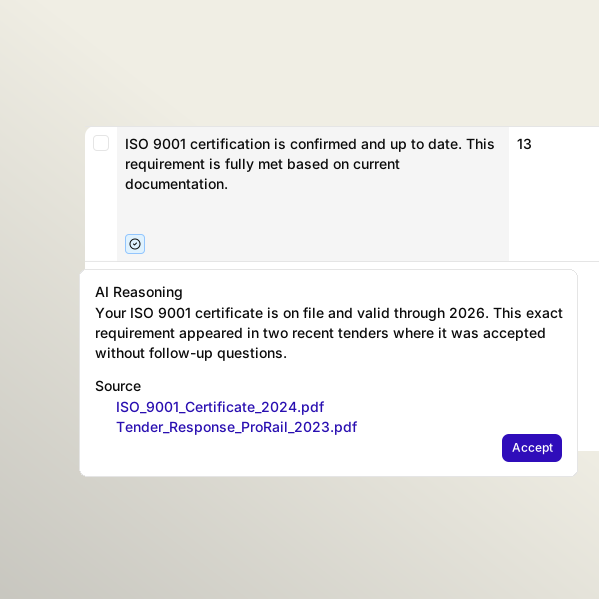
Altura prioritises clarity. Every insight includes the reasoning behind it and a direct link to the source data at a word level, ensuring your decisions are always verifiable.
Stop losing days to manual requirement extraction and guesswork.
See how Altura helps your team extract, assess and answer every requirement in a structured workspace, with traceable sources and clear confidence indicators on every line.

Frequently asked questions
Submission readiness is shaped as a bid compliance checklist, which is a structured list of every submission requirement in a tender: required documents, certificates, declarations, formatting rules, signing requirements, portal registrations, and deadlines. It ensures your team submits a complete, correctly formatted bid and avoids disqualification on technicalities. Altura generates this checklist by scanning your full tender pack, then checks each item against your existing documents to show what is ready, what is partially ready, and what is still missing.
Requirements define what your offer needs to do or deliver. Compliance defines what you need to hand in and how. A requirement might be "provide 99.5% uptime." A compliance requirement might be "submit ISO 27001 certificate, signed non-collusion declaration, and financial statements in PDF format via TenderNed by 14 March at 12:00 CET." The requirement analysis workflow handles the first. The Compliance Checklist handles the second. Both are essential to winning, but missing a compliance item can get you disqualified before your proposal is even read.
Most tender disqualifications happen because of missing documents, expired certificates, incorrect formatting or late submissions, not because of weak proposals. Altura's compliance checklist extracts every submission requirement from the tender pack, including page limits, font sizes, file format requirements, naming conventions and signing requirements. It then checks each item against your project documents and Knowledge Library, giving you a clear readiness dashboard so you catch gaps before the deadline, not after.
Yes. The readiness check can be re-run at any point. As your team uploads completed forms, updated certificates or new project documents, you can refresh the readiness view to see your current status. Items that were "Not Ready" will update to "Ready" or "Partially Ready" as matching evidence is found. This is particularly useful in the final days before submission when documents are being finalised across multiple departments.
There are four statuses. "Ready" means a matching document was found that directly satisfies the requirement. "Partially Ready" means something relevant exists but does not fully meet the requirement, for example an expired certificate or a template that has not been filled in. "Not Ready" means no matching document or evidence was found. "Manual Check Required" means the item is procedural and cannot be verified from documents alone, such as portal registration or site visit attendance. Altura can tailor these statuses depending on your wishes.
Yes. Your team can manually add items that come from internal requirements or that the AI did not extract from the tender documents. Manually added items are preserved across re-runs and clearly distinguished from AI-generated items. The checklist works as a single, complete go/no-go dashboard that combines automated extraction with your team's own knowledge.