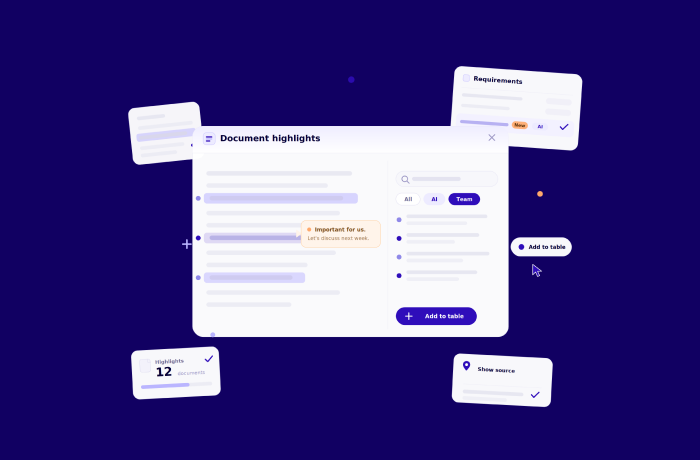
Document highlights: read together and keep all insights in one document.
Every serious tender is read by more than one person. The bid manager reads it first, then hands sections to the people who know them best, and pulls in a specialist for the technical annexes. That shared reading is where a team decides what the tender is really asking, what matters most, and what could go wrong.
The problem is where all that reading goes. It ends up scattered across email attachments, privately marked-up PDFs, and chat messages that point at a page number. The team never sees its own thinking in one place, and the bid manager spends time piecing it back together.
Document highlights fix that by putting the reading where the work already is: on the document itself, inside Altura.
One shared reading, not scattered copies.
Reading a tender as a team usually means everyone works on their own copy. Notes come back in replies and chats, detached from the passage that prompted them, and no two versions match.
Open a document in Altura and the reading is shared. You highlight a passage, add a note, and the mark appears for everyone on the project, with your name on it. You can see that a colleague has already been through a section and add to what they flagged. The comment sits on the exact line it belongs to. On a tender with a hundred files, the project file list shows a highlight count against each document, so you can tell at a glance what has been read and what nobody has opened.
.png)
Check Altura's AI without reading the tender twice.
When Altura's AI has pulled dozens of findings from a long document, verifying them is its own job. Without a way to see everything the AI used at once, most people re-read the whole file to be sure nothing slipped.
Every passage Altura's AI used while running a workflow is highlighted on the document: the text behind each requirement, answer, and risk. Run the risk workflow, for example, and you can see exactly which lines Altura read as risks. Coverage is visible at a glance, and so are the gaps. A long stretch with nothing marked is worth a closer look, because it may be something Altura's AI could not catch.
Catch what the AI cannot, in the same document.
A reader always catches things a model cannot: a contractual trap, a piece of strategy, a link to a past bid, a reminder for a colleague. That knowledge normally ends up in someone's head or in a separate document, and rarely makes it back into the bid.
Now you capture it as you read. Reach a clause that matters and you highlight it, then add a note such as "important for us, let's discuss next week". A few paragraphs on, something looks like a risk, so you flag it the same way. Each note stays with the words that prompted it, linked to the source, and visible to the whole team rather than lost in a private file.
.png)
Turn a highlight into a Bid Book row.
A note on a passage is useful, but the real work lives in your tables: requirements, risks, the winning strategy. Getting a finding from the margin of a document into the right table has always meant retyping it, and that is where findings slip.
Now you add the highlight straight to a table, and Altura fills in a first version of the row. From there you work in the table itself: assign an owner, add the properties you need, move it through your process. The row keeps its link to the source passage, so the original is always one click away. And when you need it elsewhere, you export the table.
.png)
.png)
How it works.
Open the document.
Open any tender file in Altura's readable view. Anything Altura's AI has already highlighted is waiting there, so you begin with its reading rather than a blank page.
Highlight and note.
Select any text to make a highlight and add an optional note. It is shared with the project and attributed to you the moment you save it.
Add it to a table.
Choose Add to table on your highlight and pick the table. Altura fills in a first version of the row, and you carry on in the table: assign owners, add properties, export when you need to. The row keeps its link to the source passage.
Find and trace.
The side panel lists every highlight in reading order. Search the text, filter by author or destination table, and switch between all, team, and AI marks. Click any highlight to jump to its exact place in the document.
What you get.
- Altura's AI highlights on every processed document, showing the passages behind each requirement, answer, and risk.
- A link from each AI highlight back to the table it fed, so you can trace a result to its source.
- Manual highlights on any passage, each with an optional note.
- Shared, attributed highlights across the project, so the team reads in one place.
- Add to table from a team highlight: one Altura-proposed row for the table you choose, editable before you save.
- Two-way traceability between a saved row and the passage it came from, plus a destination-table filter in the highlights panel.
- A side panel with free-text search, an author filter, and an all, team, or AI view.
- One click from any highlight to the exact passage.
- A highlight count on every document in the project file list, so coverage is visible across the whole tender.
- A clear warning if a highlighted passage can no longer be found, so nothing disappears quietly.
See Document Highlights in action live on your tender documents
Sign up for our Newsletter
Sign up for great tips, tricks and other bid management news!
.png)
.png)
.png)
Discover the power of automation in 30 minutes.
We'll walk you through a live bid on your own documents, showing you how ALtura brings clarity and flow in your tenderprocess.